Nasaimages.org is a repository of images from the U.S. space agency, very useful for finding photographs, animations, and videos that we can search directly from our web browser.

Recently, from the Nasaimages blog they announced an extension or add-on for Firefox that allows searching the images site directly from the fox's browser.
The extension installs like all the others, from the Mozilla site.
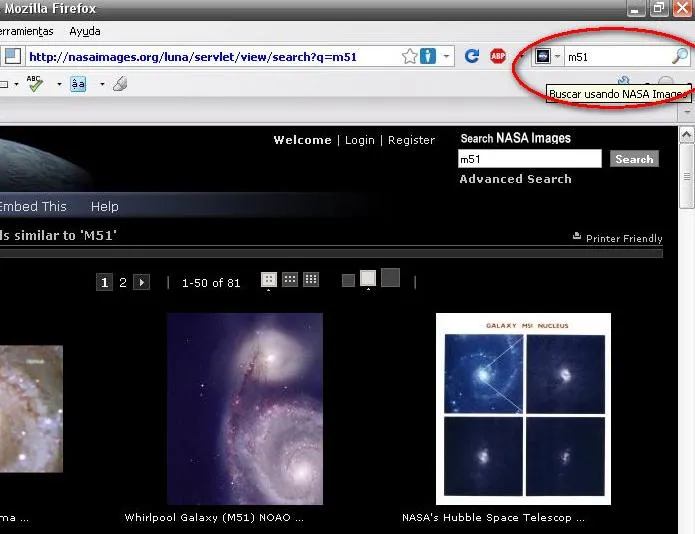
A reader asked me how to do the same in Google Chrome, which is the browser he uses.
If we use Google Chrome we can also use the search engine of Nasaimages.org, with some small differences:
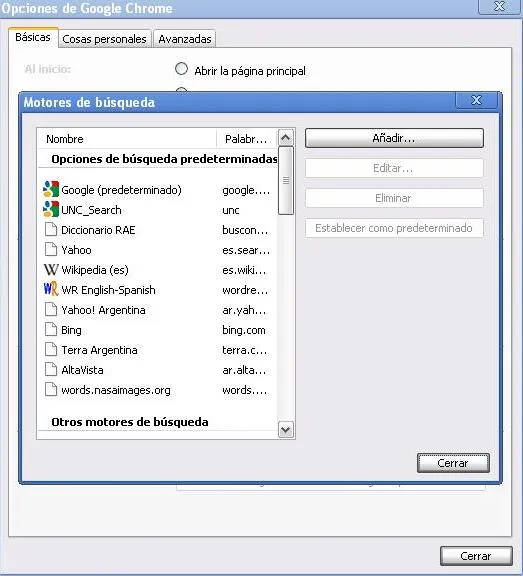
If we click on the add-on for Firefox while in Chrome, we will be asked if we want to add that search engine to Chrome. We accept and go check that everything is okay from the Chrome menu: Tools/Options/Basic
There we will see a field for Default search, usually Google, and next to it a button to manage. We click and should see the new engine at the very bottom. If we select it we can edit it. From there we can also add searches within other sites, choosing a name and url.
To use a search engine in Chrome we must place ourselves in the address bar, type the url of the site to search and immediately the option will appear to press the TAB key and use that engine.


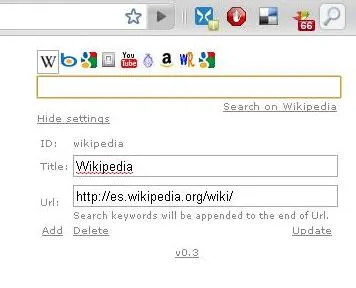
Another option in Chrome is the QuickSearch extension which will give us an icon that when clicked will display search options on various sites and a field to add text. The sites that appear there can also be edited to add the ones we want.
In Internet Explorer 8 we can install several search engines from IEaddons.com:
http://www.ieaddons.com/es/searchproviders
But we can also add searches that are not listed there, in the following way:
We go to the page that has a search engine we want to add, for example Nasaimages.org. There we use the search engine to search only for the word "TEST", without quotes and all in uppercase. The result should be:
http://nasaimages.org/luna/servlet/view/search?q=TEST&sort=null
We copy that address and paste it into the field on the page for adding search engines in IE:
http://www.microsoft.com/windows/ie/searchguide/es-xl/default.mspx
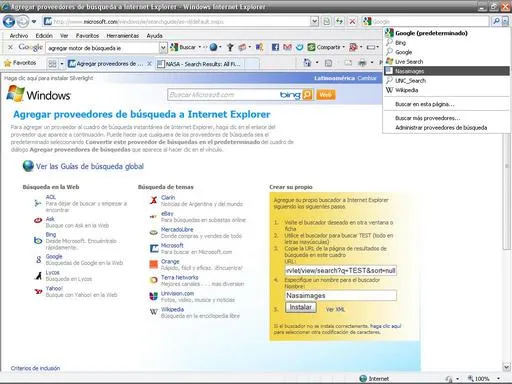
We select a name and install with the button. Immediately after, it will ask us if that engine should be the default or not and that's it.
Sources and related links
NASA Images Firefox Search Add-on
NASA Images Search
About the images
Logos of Firefox, Chrome and Internet Explorer.
Logo of Nasa Images.