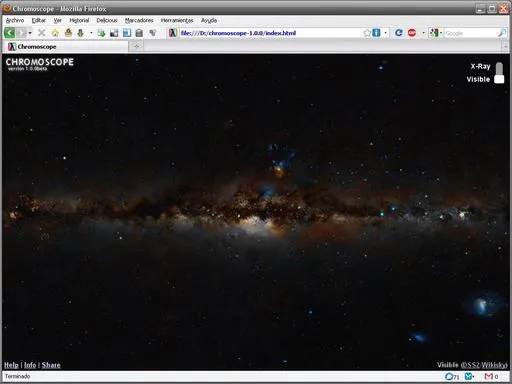
Some "tricks" created for Google Earth/Sky, WorldWide Telescope and Twitter, as examples of the ways online tools can be used alone or in combination with other online services.

Robert J. Simpson, from the Department of Physics and Astronomy at Cardiff University, presented this paper at the "DotAstronomy" conference (which we could translate as "DotAstronomy") in September 2008. Furthermore, he has a comprehensive blog with special pages where he explains how to combine different web applications in astronomy.
Applications with online links, like Google Earth and services like Twitter are the target of a growing community of programmers. Some time ago, these people would have been considered "hackers", programmers who manage to unravel how something works to change it to their liking. In the web era, companies like Google and Twitter release so-called "APIs", Application Programming Interfaces, which allow anyone to interact with that service. This enables the creation of interesting uses based on the functions of each application. That is, we can "tune" these applications by combining them with others.
1.Google Earth/Sky
Satellites
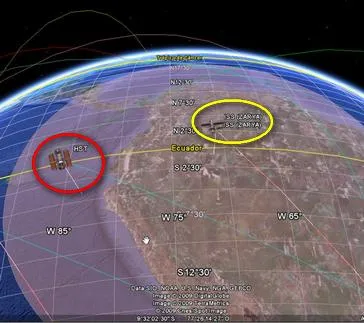
Through Orbiting Frog, Simpson makes some scripts available to track satellites in Google Earth. His page serves as a repository to download the files and get information about them. What we have available there are KMZ files, created with KML which is a markup language, an xml, for encoding geolocations. We can run these files in the application to show us the International Space Station, the Hubble Telescope, Iridium satellites, and more.
1.2 SIMBAD in Google Sky
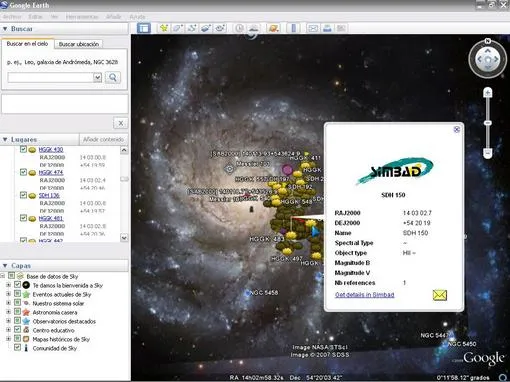
The SIMBAD service has been implemented in Google Sky. A small file can be downloaded that allows performing searches for objects in the same Google Sky window. Each object can then be explored in depth through a link to SIMBAD.
1.3 At submillimeter wavelengths
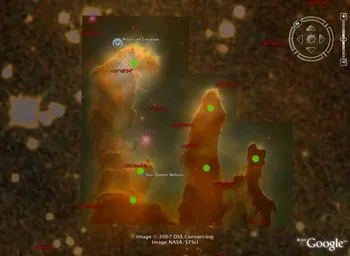
Simpson created a layer that allows access to the submillimeter maps from SCUBA.
SCUBA was a camera on the James Clerk Maxwell Telescope in Hawaii, created to study regions of the universe normally dark at optical frequencies.
Once started for the first time, the file will begin downloading the 9 MB catalog. This way you can see the point data (in green) and images taken with the SCUBA camera. The images will only be displayed when we are viewing the objects very closely, to save time and disk space.
1.4 SkyView in GoogleSky
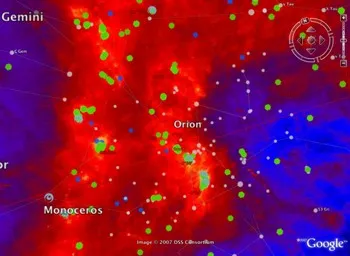
SkyView is a NASA website that functions as a virtual observatory. To combine both tools, Simpson created a sample file using the IRAS infrared survey 100 micron. On his blog he explains how to play with GoogleSky.
2. Twitter
In search of the Space Station
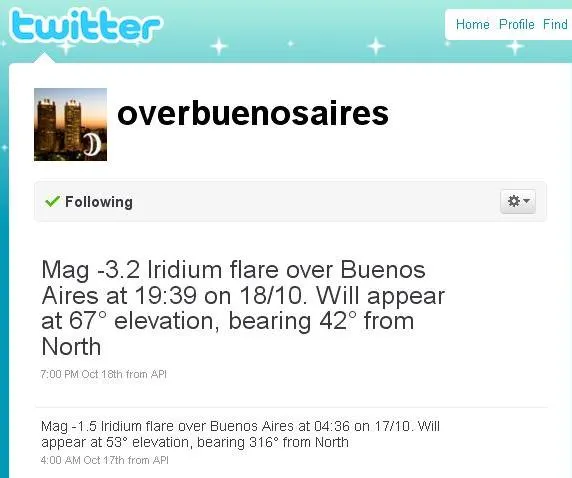
Simpson has a special site on his blog with the Twitter accounts he created for each city, which indicate when the ISS, Hubble, Envisat and other interesting objects will pass. The accounts are of the form: "overcity", where city is the place we are interested in, among those available. For example, @overbuenosaires, @overmadrid, @barcelona1, @santiago, @overrio. By the way, Mexico is missing!
Furthermore, as the author indicates, the tweet appears only if the weather at the location is good enough for observing, thanks to Yahoo!Weather. It indicates the object's brightness (magnitude scale), the coordinates in the sky and the duration of visibility.
http://orbitingfrog.com/blog/over-twitter/
3. Microsoft WWT
Up to here, an idea of what Simpson tried to convey in his paper. WWT is left out, although surely at the next DotAstronomy it will have its place. Meanwhile, and so that my cousin Miguel doesn't scold me, let's talk a bit about this magnificent application from Microsoft Research (MR).
With this planetarium we can also "tune" the sky on our desktop. It is possible to create Tours and Collections and share them, access catalogs and search for desired objects, etc.
On the WWT page there are some references on how to manipulate these files and the MR blog also allows us to learn some "tricks".
Within our reach we have the SkyView data, which WWT also uses, as we told in "The cosmos through SkyView". A file containing heat maps of the sky regions most frequented by users since 2007 can be downloaded as they explain in SkyView Queries.
If in GoogleSky we use kmz (kml) files, in WWT we use WTML files, an acronym for Worldwide Telescope Markup Language. It is also a markup language that can be used for various functions, such as defining collections, locating images, etc. What is stored there is not data, but pointers and they are ideal for sharing information. On the MR blog there is a good explanation of how WTML files work.
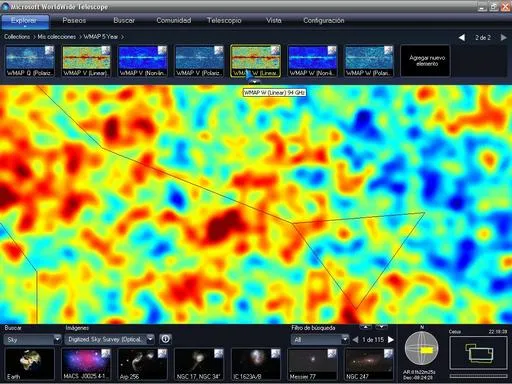
An example: the WMAP probe that surveys the Cosmic Microwave Background released its results from five years of observation and on its page we can find a WTML file that allows us to navigate those images in WWT:
http://lambda.gsfc.nasa.gov/product/map/current/wwt
The GalaxyMap experiment
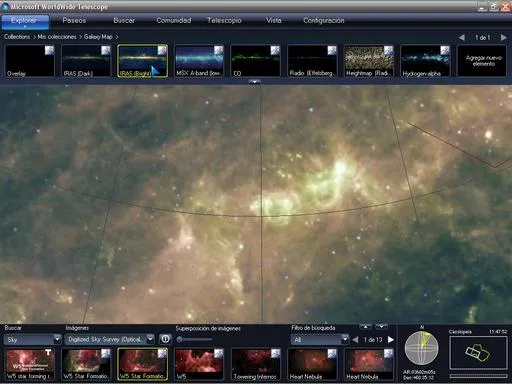
Kevin Jardine, from GalaxyMap, tells us that he created a set of surveys for WWT. He explains it in WorldWide Telescope experiment, and indicates there a file to download and navigate in WWT.
What's coming
Much more will be created. It is very simple nowadays thanks to the multiple collection of information services on the web. An application not yet very developed, but deserving more attention, is the wavelength slider, for example.
The topic will gain new momentum at the .Astronomy 2009 conference to be held in Leiden, between November 30 and December 4, of which Simpson is part of the organizing committee. They promise a "hack day", in one or several sessions. There they will surely delve into the "tricks" for the web applications mentioned here, as well as for Microsoft's Worldwide Telescope.
From here we will address more on this matter soon, since these tools are part of what some are calling "The fourth paradigm" of research in the computational era.
Sources and related links
- Hacking the Sky
R. J. Simpson
arXiv:0903.0484v1
Conference "Astronomy: Networked Astronomy and the New Media", 2009,
edited by R. J. Simpson, D. Ward-Thompson - Orbiting Frog blog
About the images
- Own screenshots and images by Robert Simpson
- DotAstronomy 2009 logo. Credit: Lost Valley Observatory by Keith Quattrocchi