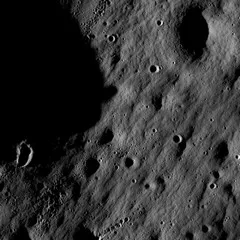
A new website allows you to view incredible images of the natural satellite to help scientists count craters: Moon Zoo.

Here we had announced this new project from the GalaxyZoo people. In this case it is Moon Zoo, created with the goal of counting lunar craters. Unlike Earth's surface where weather erodes the signs of impacts, craters on the Moon remain intact. This makes it possible that, by counting the number of them in a particular region, it indicates to scientists the age of that sector. Scientists use this technique in the Solar System, but on the Moon it is particularly important because, with the rocks brought by NASA, it is possible to calibrate the estimates. This, which was confined to exclusive large-scale scientific work, can now be done by citizens of the world. With our help and the images from LRO, researchers will be able to cover the finest details of lunar history.
Furthermore, the site allows identifying rocks around the edges of craters, which are a sign of whether the impact was powerful enough to excavate rocks from the lunar soil. In this way, a map of the depth of the regolith on the Moon's surface can be drawn.
To use the site and help with these tasks, you will need to register and answer a series of questions about what we will see. The tasks are designed to be better answered by humans than by computers.
The site's interface is in English, but it is very intuitive. If in an image we see a crater, we press the indicated button and then point to the center of the observed crater. We will see a circle on the screen. If the crater is smaller than that circle, then it doesn't matter and we ignore it.
Video: Moon Zoo Tutorial (in English)
Moon Zoo: Crater Survey by The Zooniverse on Vimeo.
Craters will look different depending on whether the image is from morning, noon, or evening because the shadows will change dramatically. We will have visual help to indicate which way the shadows point in each image.
After marking the craters in the image we can click on the ellipse to move or change the shapes, but we shouldn't spend too much time, only the necessary, a few seconds.
Then, the next stage will be to look for rocks around the craters. By clicking on the eye icon, the ellipses will no longer be visible, to facilitate the task. If there are no rocks, we move on. If we see some, we click on the ellipse in question and select "blocky crater" with the options "some" or "many".
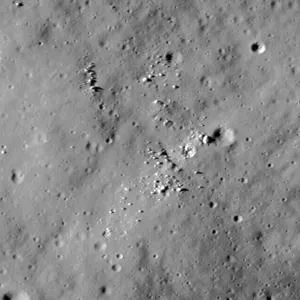
Then we will look at the panorama to see any other thing of interest: dark areas, "rock tracks" (tracks), etc. To indicate one, we select the icon in question, and we can draw a rectangle over the area and choose what type of feature it has. And finally we submit.
Moon Zoo has a tutorial (in English) to practice, as usually happens with ZooUniverse and Citizen Science Alliance projects.
Sources and related links
Moon Zoo
NASA INVITES PUBLIC TO TAKE VIRTUAL WALK ON MOON
About the images
Moon Zoo.