How to create a Sundial? Here I show a simple and useful resource for creating a solar clock.
Time is one of those concepts that humanity never quite understands, but that fascinates us. That there is a flow of time implies that there is effort in the cosmos. It's that time is change. Think about how we would evaluate the concept of time if EVERYTHING were completely stopped.
So time is change. One of the permanent changes is movement, because everything moves. Things move or oscillate, but they are not in absolute rest. You can be completely still right now, yes. With respect to what? Because the Earth is moving and you are on it. So you, even if you are at rest with respect to the ground, are not with respect to the Sun, for example.
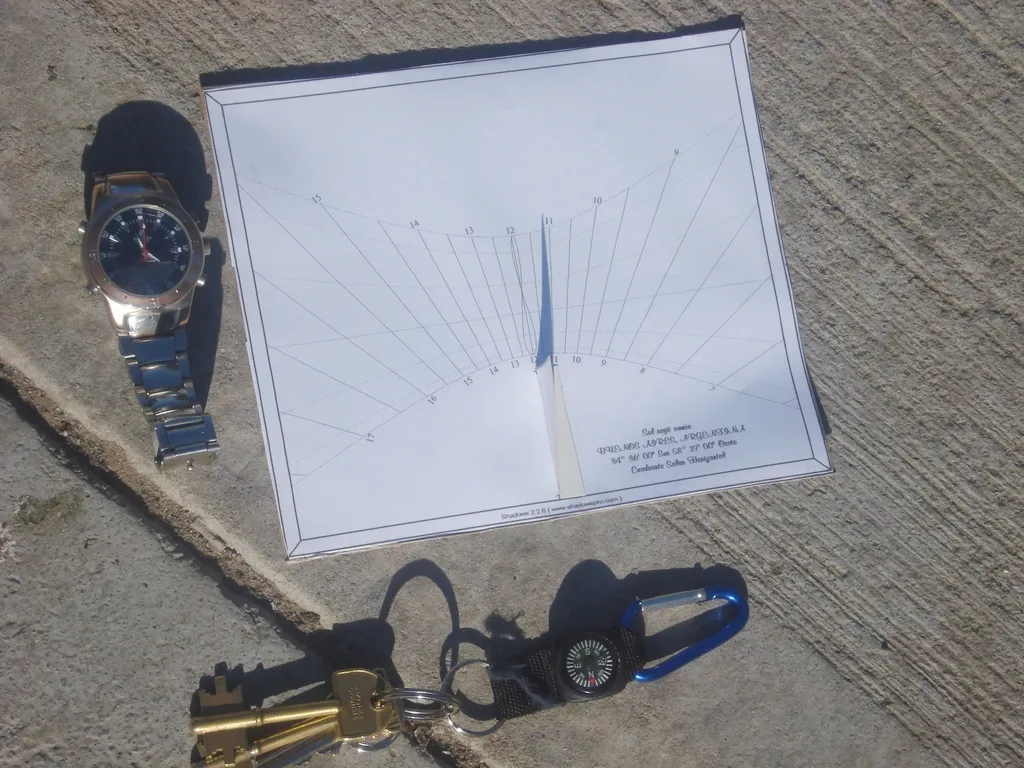
So it seems logical to use movement to establish the passage of time. We have been doing it since time immemorial for agriculture and other human activities that require sunlight. Sol regit omnia.
Creating a sundial is then a formidable adventure of thought in establishing the Sun's movement. Teachers who bring this idea to the classroom will be able to talk about the local meridian, cardinal points, real and apparent motion of the star that illuminates us and the famous equation of time.
But nothing is learned better than by getting hands-on. There are many resources and guides for creating sundials. Here I present a simple idea that could complement a class or allow us the personal adventure of creating one.
For a flat sundial, one of the simplest, you need:
A dial and a style or gnomon. The style must have the inclination of the latitude of the place.
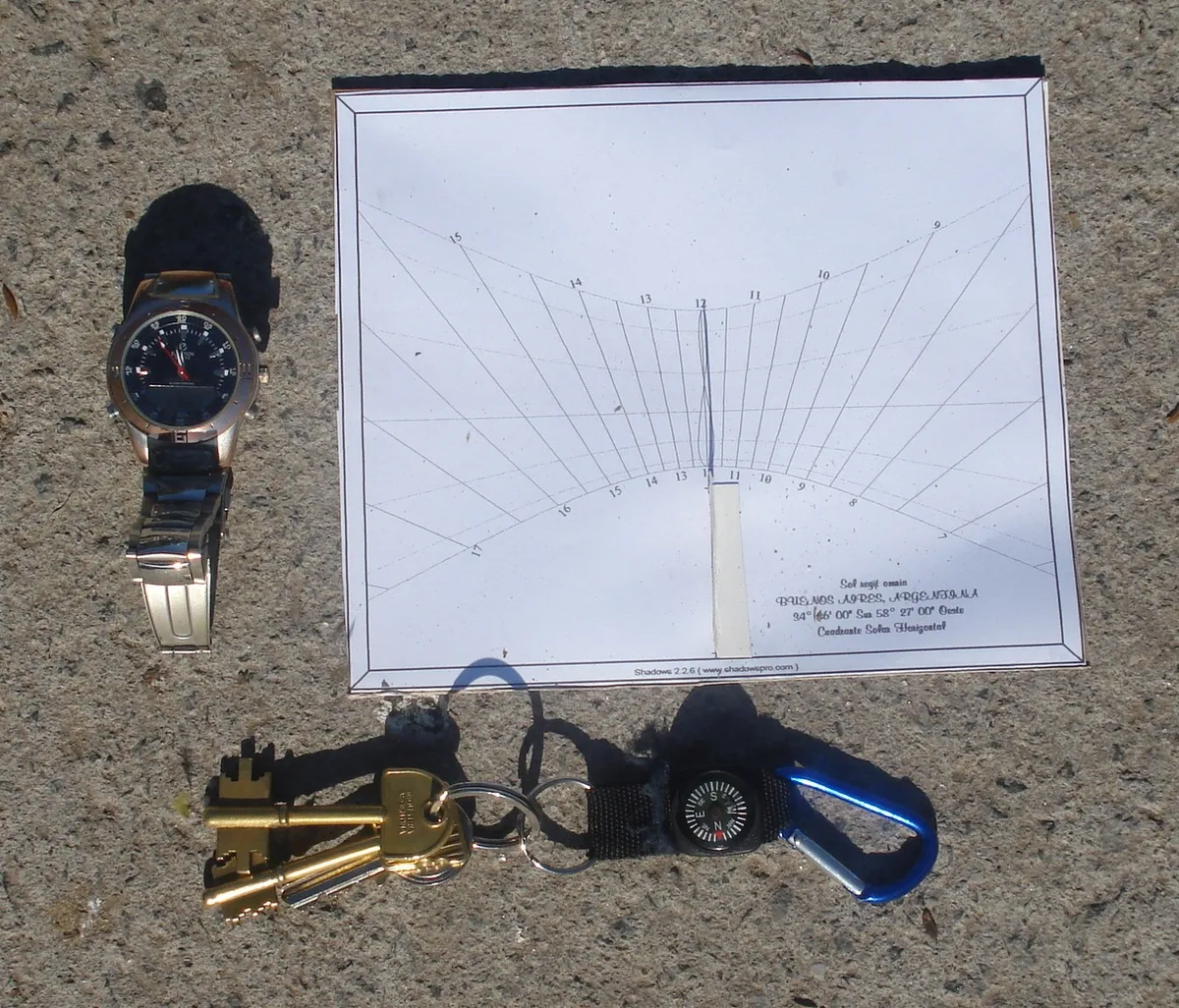
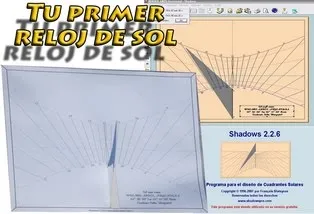
For both things, it is very easy to build a sundial like this with the Shadows program. It has a free version and two paid versions (expert and pro). But with the free version we can create a flat horizontal or vertical dial.
Shadows is a program for creating sundials, made by François Blateyron.
Its use is simple: for the free version we can only create flat dials. So when starting a new dial we will choose our location from those provided by the program or add one manually. Then we choose whether it will be horizontal or vertical and we already have the dial.
Its dimensions, colors, number of lines, legends and other options can be changed.
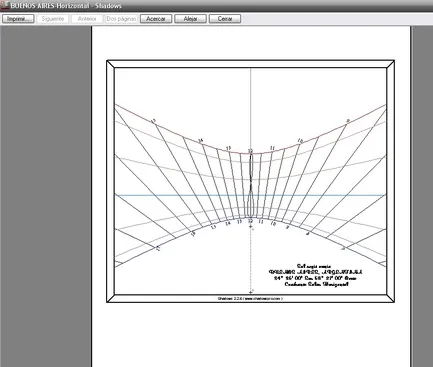
By default the horizontal dial is 19x16 cm, easy to print on an A4 sheet. You will have to print the dial and the style and then glue the latter to the former. For that, both the dial and the gnomon will have indications about where to glue the base of the right triangle that forms the style, with the letters A and B.
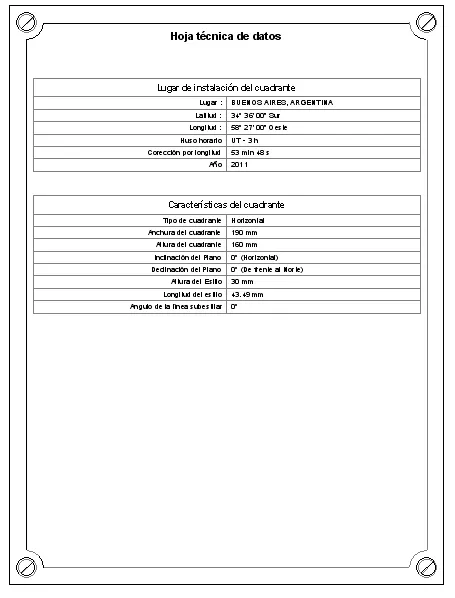
The dial is associated with the place because the same one will not work for another latitude, so Shadows allows printing the dial information which can be placed near it. It is common to see a sundial like this on a column that has the dial information on one of its faces.
Of course, you don't have to make it as simple as I just described. Creating the dial on an MDF wood surface or similar will not be complicated at all for someone skilled in those tasks. But doing it on paper, perhaps then gluing it onto cardboard, is an option as simple as it is broad. In any school it could be easily done or a parent could do it with their child at home.
Emplacement
This type of dial must be emplaced horizontally or vertically, depending on how it was created. In the case of the horizontal one, it must therefore be in that position and in relation to the local meridian. The local meridian is a line that would pass through North-Zenith-South. The zenith is the point right above our heads. So with a compass in hand, locate the North and you can emplace your dial there, on a sunny day.
You can transport it in this case or build it and install it in a fixed place, which logically must be illuminated during the day (not under a roof). In the case of vertical ones, they can be placed in a window of a house or apartment.
Using Shadows
A brief tutorial to create a dial with the free version of Shadows:
1-We download the program from the Shadows site.
The program is designed for Windows (2000 onward) and has an interface in several languages, including Spanish.
2-Immediately we install it in the language we want and after finishing we open it.
3-After the welcome screen we can go to the New icon and click, so that a window with location options appears.
We search for our country and below different cities will appear, each with its latitude and longitude. If the data provided by the program does not seem adequate to us or we want to create a new locality, we can do so.
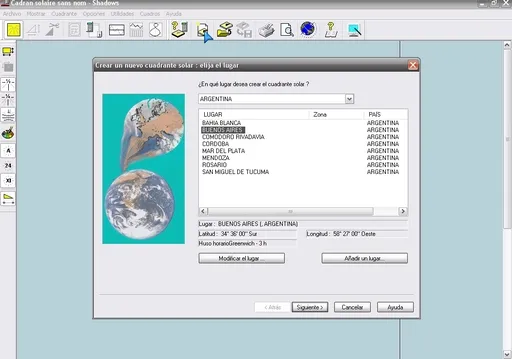
4-The next step would be to choose the type of dial. In the free version we can only create flat dials.
5-We choose orientation and inclination: horizontal, vertical, equatorial, polar.
If it is horizontal, there will be nothing more to choose and we click Finish.
6-We set the size, position of the style, thickness and color of the lines, legend.
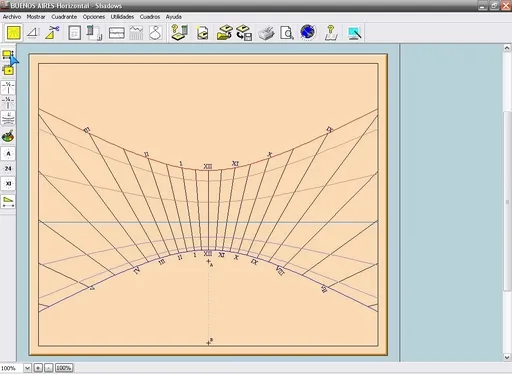
Toolbars
Left-hand tools:
In the left bar we will have icons for each of these things. The first one allows changing the size of the dial.
The second icon allows changing the anchor of the style (normally we won't use it). Then we will have the options to show half-hours and quarter-hours. Another icon allows us to show or hide the declination lines, change the line styles, how to show the hour numbers (12/24 format, Roman numerals).
Top tools
At the top there are other icons that allow us to:
View the dial and the style, graph and table of the equation of time, save and open projects, print, preview.
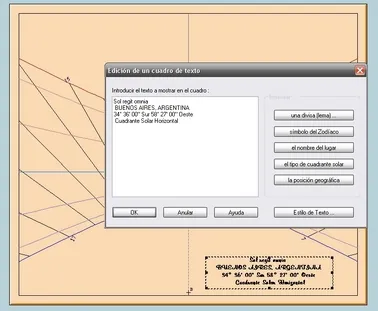
If we are viewing the dial, we can go to Frames/Add a text frame to add:
Legends (in English, Latin, etc.)
Place, Coordinates, type of dial, etc.
To verify that everything works we have two simulation options, one in real time and the other not.
Let's go to Utilities/Visualize the gnomon's shadow.
This will show us how the sun's shadow would look if we correctly position the sundial we are creating. Since for this the program uses the system's date and time, if we do it at night, we won't see anything. If it's daytime, it will look as it should in reality:
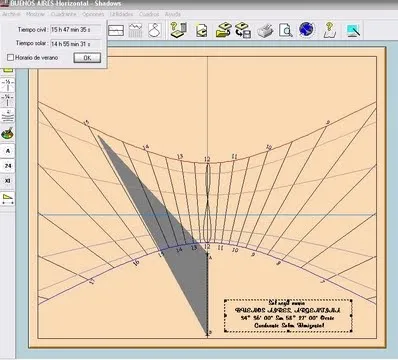
The other option is to simulate a day and a time. Let's go to Utilities/Simulate gnomon's shadow:
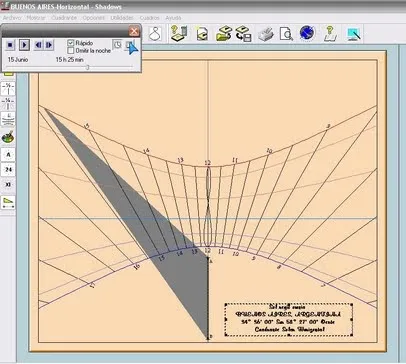
By default it will show us the current date and time, but we can move forward or backward to any date and time we want. For that there are two buttons, one for date and one for time. We press the one we want to change. Then there are buttons to stop, start, go back, and go forward. It will go back or forward depending on whether we pressed the date or time button.
What it will show us is an animation of the shadow's change for that date and starting from the indicated time onward.
The preview, as in other documents, shows us how the sundial will look when printed. Points A and B where the gnomon should be will be marked.
When printing the gnomon, the A and B indications will also come out on the paper.
Assembly
With the sundial created with the options we have chosen, we print it. We can use the printout as a guide to build it in wood or other materials. In this case, to keep it simple, the same paper was used, then glued onto cardboard.
The gnomon is a right triangle, also glued onto cardboard and then onto the sundial. For that, when cutting out the triangle I left a flap, meaning that below the base of the triangle I left a small rectangle which is what I later glued onto the sundial.
As is logical, this sundial must be aligned to the local meridian. At least a compass will be needed to know the North-South line.
And more
Here I pointed out some of Shadows' options, but it has many more. We can make the sundial with local solar time, with time zone time, local mean time or civil time, with the required corrections in each case.
I don't find, at least in the free version, the option to label the declinations with text.
What is that? Well, a sundial doesn't just indicate the time, also the date, since the shadow cast by the sun will become shorter or longer as the year passes.
For example:
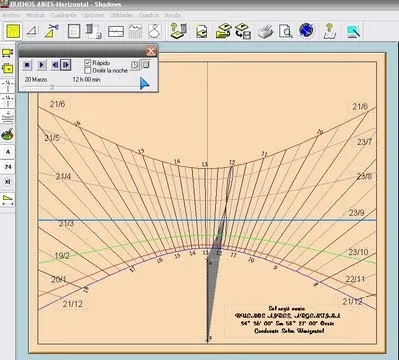
That's what the horizontal lines indicate on this sundial. Each one can have a different color, but I don't see an option to automatically label the dates. Instead, since it is possible to add text lines, we can do it manually. If we look at the photographs taken today, it's evident that the shadow cast by the Sun doesn't exactly match what it should be, since the shadow should be a little bit less long. It's not an error of the program, but of the sundial's placement.
Video: Here is a demonstration video of Shadows, which includes the video of this horizontal sundial in Plaza Martín Fierro in the City of Buenos Aires, today Saturday, June 4.
Sundial with Shadows
http://www.youtube.com/watch?v=ID4OEW5LNQQ
Existing sundials
These concepts could lead us on expeditions through our city because there must be sundials in some plaza or public building. Some might even be poorly made!!
In this regard, Dr. Alejandro Gangui wrote an article for Ciencia Hoy about sundials in Neuquén and Jujuy that are poorly located so their reading will always be wrong. ("Find the error. Bad street astronomy", Vol. 19, num. 110, April 2009, pp.16-17)
On the Shadows site we can access photographs of sundials from the users, in different parts of the world, seen through Google Earth and in movies.
Note written for the XX Carnival of Physics, in this edition hosted by Resistencia Numantina. To join and read the entries there is a social network on Ning.
Sources and related links
- Shadows
- Wikipedia: Sundial
- The Sundial, by Dr. David P. Stern, translated into Spanish by J. Méndez.
About the images
- Screenshots from Shadows, by François Blateyron.