Games can be fabulous educational resources. Here is a list of some of the possibilities that can serve just to entertain us or to learn and teach.
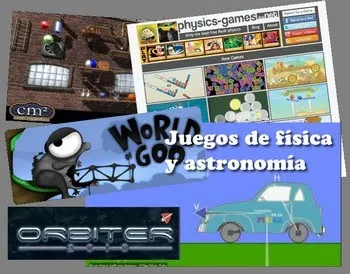
Online games
Line rider
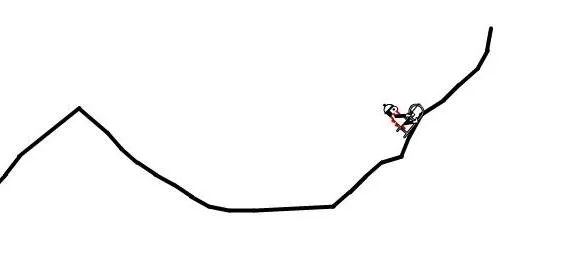
LineRider is a simple and addictive game. It is about drawing the track for a ski runner. The game allows you to erase and redraw, draw freehand lines, straight lines, fast or slow lines, save the track and watch videos of other tracks created by users.
You can also play from http://mhenr18.com/hax/6.7.swf
At Physics-GamesDotNet there is a great variety of games. The site created by Jeremy Oduber, a student at the University of Amsterdam, contains some games that can truly be instructive and many others that are not, although they contain some physics element.
We can browse by tags, for example see gravity games.
One of the ones I tried was Way of an idea, which seems simple, but sometimes gets complicated. It's simply about drawing lines so that a ball hits Einstein's head. Among the 19 possible levels, lines will have to be used to guide the ball or to prevent some block from falling and obstructing the path.
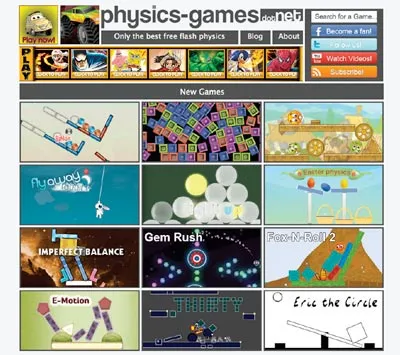
In Cosmic Crush we are a small rock in space. The idea is to collide only with smaller objects, which will make us increase in size, but avoid larger objects.
In Gravitex2 we must select the energy and angle to shoot a yellow ball with the aim of colliding with a black one. Along the way there are green "coins" that add points and massive objects that attract the yellow ball. There are 100 levels and you can create your own levels.
Play to save energy
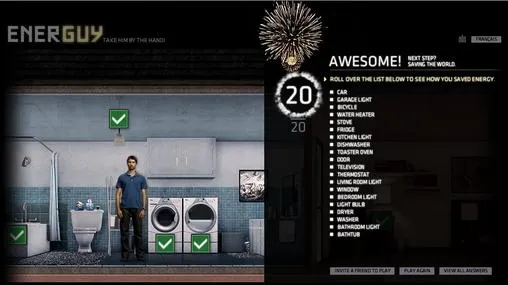
EnergyGuy is a game developed by Canada's Office of Energy Efficiency, which consists of taking this boy by the hand through his house, and discovering those elements that allow us to save energy. There is a time limit of two minutes and, finally, it explains which elements we discovered and which we did not, awarding a maximum score of 20.
Something fun is that, in some cases, if we move the boy with a sudden movement, he falls to the floor!
The Adventure of the Universe
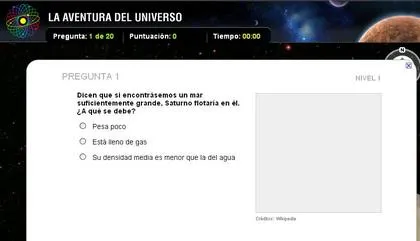
The Adventure of the Universe Game has been developed in collaboration with the Astronomical Association of Madrid, CosmoCaixa Madrid, the Madrid Planetarium and Google, as part of the activities carried out around the International Year of Astronomy.
To start playing you just have to install the gadget and the plugin for Google Earth. By answering 20 questions, you can know your level of knowledge about the cosmos and compare your results with those of other users.
To detect black holes by sound
We talked about the online game previously: it was developed as part of the Royal Society's 2008 exhibition called "Can you hear colliding black holes?".
It is possible to select between three difficulty levels. The text of the levels is similar:
Your mission, should you choose to accept it, is to find the gravitational wave signal from the merger of two black holes with certain solar masses in the noisy detector output.
We can listen to the source by clicking on the images presented to us. First we will hear the signal we are looking for and, below, there will be four other images corresponding to data streams 1 to 4. The goal is to detect, among these four sounds, the sought signal.
More details at Online Game: the black hole hunter.
Play to form stars
Stars form in gas clouds. The cloud is there, with its gravity balanced by pressure, until something happens that unbalances it. The cloud collapses and stars form in several parts. But what is that "something" that happens? It could be that one cloud collides with another or that a nearby supernova explosion occurs that triggers the formation.
In the game, in flash format, you start with a gas cloud and a number of free stars that will explode as supernovae, cornering the gas to favor its collapse in certain regions.
There are three levels, in which the cloud has a mass, a minimum number of stars to form to pass the level (Star Quota) and a number of free stars at our disposal.
Upon reaching the required number of stars (star quota) we can move to the next level or stay there to continue forming stars and increase the score.
More information at: Stellar formation: the game.
Astronomy games for the little ones
At http://www.kidsastronomy.com/fun/index.htm there are several options, although in English.
On the other hand, another page with fewer options, but in Spanish is:
http://www.astrosurf.com/astronosur/down/juegos.htm
Astronomy for girls and boys
This is a Site designed by Antonio Berciano Alonso
Drawings Antonio Berciano Alonso Sandra Berciano García
With educational material in Spanish and exams. After passing the exams, a password is indicated that will allow access to the games.
It is located at:
http://www.isftic.mepsyd.es or at http://www.ite.educacion.es
ESA games in Spanish http://www.esa.int/esaKIDSes/fun.html
How much do you know about Astronomy?
An interactive from El País
NASA games http://spaceplace.jpl.nasa.gov/sp/kids/games.shtml
Others
List of physics games: it is a page with a review of games, mostly commercial ones.
Offline games
Phun is a physics simulator that can be downloaded for free and allows you to build machines with levels, motors, and different shapes, from the simplest to the most complex.
Phun started as Emil Ernerfeldt's project at university. His teacher wanted a program that could be used as an educational tool, but the idea was surpassed and both work at Algoryx, a software company.
A commercial version created since then is Algodoo.
To preview the possibilities there are many videos on the Phun Youtube group.
Simple Algodoo demonstration video
http://www.youtube.com/watch?v=gce6REtv6Gg
The world of Goo
World of Goo is a super addictive game. It's about using a sticky, semi-liquid material called Goo. Although there are several levels with different scenarios, the criterion is basically the same. You have to collect these balls of Goo according to a minimum established in each level. But to do so you have to build some kind of construction, like a bridge, with these same balls of material. With these bridges we must reach a tube through which the remaining balls will be collected, which must be equal to or greater than the number established to pass the level.
The sound is funny and the drawings are simple but excellent graphics. A trial version can be downloaded from http://www.worldofgoo.com/dl2.php?lk=demo
There are versions for Windows, Linux and Mac OS X.
There is a special site for fans, with levels and tools at http://goofans.com/
Watch demo on Youtube: http://www.youtube.com/watch?v=-A_JfkzPwww
Game page http://2dboy.com/games.php
Crayon Physics Deluxe
Crayon Physics Deluxe is also a physics simulator that includes gravity, mass, energy, and momentum transfer. The goal is to guide a ball from a starting point to touch all the stars in each level. To move the ball we must use the effects of gravity by drawing objects on the screen.
It also has a very easy-to-use level editor.
Watch demo on Youtube: http://www.youtube.com/watch?v=avkacGQKWec&feature=related
Game page: http://crayonphysics.com/
Crayon Physics Prototype
This prototype is simpler, but it's basically the same game.
Download at http://www.kloonigames.com/blog/games/crayon
My Universe:
The idea of the program is:
We find supernovae and measure their magnitude and redshift. With this data we create a graph, assuming the universe is practically empty. Cosmologists indicate that the cosmos would be composed of 73% dark energy, 23% dark matter, and only 4% normal matter (atoms).
They also point out that the universe is expanding at an accelerating rate. With the data obtained we will try to see which model of the universe fits the measurements. According to the composition of the universe (its density parameters) the cosmos could expand indefinitely, faster or slower, or stop that expansion and contract.
With My Universe, we will have a cosmos in our hands whose parameters we can change and give it different shapes.
We already gave more details in My Universe.
Those Crazy, Crazy Machines
Crazy Machines 2 for NVIDIA PhysX is an addictive game that offers 20 challenging tasks with the available tools. A free mini version can be downloaded from NVIDIA, from where we can also download
Dark Basic Fluids Demo and Fluids: Technology Demo.
NVIDIA download page
Crazy Machines II video on Youtube
Orbiter 2006 and 2010
Orbiter is a tremendous space flight simulator. Until now I only knew the 2006 version, but I went back to the site to look for material for this post and I found the fabulous news of Orbiter 2010.
The simulator is NOT easy to handle, although it does have "easy" options like demonstrations and tutorials (in English).
It has a manual and many add-ons like an application to add sound, textures, objects.
In the video shown below, you can see a run of Orbiter 2010, particularly the welcome screen which reviews some possibilities. This demonstration is part of Orbiter 2010 and since its original text is in English, the video uploaded to Youtube includes Spanish subtitles!
The program allows us to control our spacecraft from scratch, for which we must know how to do it. For that there are tutorials and manuals and it will take us a good while to get the hang of it.
Orbiter 2010 video (with Spanish subtitles)
http://www.youtube.com/watch?v=RM26HLW7tDQ
Orbiter page: http://orbit.medphys.ucl.ac.uk/home.php
Systemic
As in the previous case, this is a program that can be entertaining and used "like a game", but it will depend on the attitude and predisposition with which it is used, since in reality it is an educational program, not a game.
The idea is to understand how to find exoplanets, through a complete console.
We gave more details in Systemic: Exoplanets a click away.
CLEA Project
In the same way as the previous two, this is a set of programs created for educational purposes. They will be fun, or not, depending on how they are used. They are programs with specific purposes on a variety of topics: pulsar radio astronomy, asteroid astrometry, the revolution of Jupiter's moons, radar measurements of Mercury's rotation rate, H-R diagrams of star clusters, stellar spectral classification, the Hubble distance relation, the Sun's rotation period, etc.
More information at CLEA Project.
Astronomy demonstrations
The demonstrations are small files that open with Mathematica Player. In many cases the files are lightweight, but when opened they start downloading data to be able to perform the visualization.
They are available at Wolfram Demonstrations, from where we can browse by topic.
We already commented on this in more detail in Astronomy demonstrations at Wolfram.
And beyond
For the more curious and daring, an excellent option is to create particle simulations.
The term "particle system" was coined by William T. Reeves in 1983 while working on the famous "Genesis" effect at the end of Star Trek II: The Wrath of Khan.
"A particle system is a collection of many particles that, together, represent an object. Over a period of time, the particles generated in a system, move and change in the system," says Reeves.
Ultimately a particle system is a collection of independent objects, usually represented by a simple shape or just a point. It can be used to model many types of natural phenomena like explosions, fire, smoke, bubbles, etc. In a system each particle has its own set of properties related to its behavior (velocity, acceleration, etc.) and its characteristics (color, shape, image).
An example is Particle Dreams by Karl Sims, from 1988 (yes, 1988!)
Particle Dreams (1988)
http://www.archive.org/details/sims_particle_dreams_1988
For this we will need some programming knowledge, although there are applications that make the work easier.
A free tool is DPSF (Dynamic Particle System Framework). Another option that allows creating games is UNITY which allows using the capabilities of NVIDIA® PhysX®.
Another option, open source, is Processing.
And we cannot fail to mention Blender.
Example of a Particle System in VB6.
Post written for the X Carnival of Physics, in this edition hosted by Cienciamia. To join and read the entries there is a social network on Ning.
Sources and related links
- Web life: Phun
- Web life: Physics-GamesDotNet
- A review of virtual astronomy
- Particle Systems—a Technique for Modeling a Class of Fuzzy Objects, by W. T. Reeves
- Particle Systems
- Particle Dreams, Karl Sims
- Introduction to Particle Systems, Prof. Ernesto Coto.
About the images
- Screenshots from the respective websites.