What can be observed in the sky today in my city? And yesterday or tomorrow? And from another place? Online tools to visualize the sky from any place and time.
On different occasions we may want to know what there is to observe in our sky. Or we have seen something and don't know what it is or have doubts.
If we like astronomy and are at home we might run a desktop application like Stellarium, Kstar or similar.
But if we don't have that possibility, either because we are at work, at another person's house who doesn't have any of those programs, or we have access to a low-resource computer, a low-capacity netbook or a PC without the possibility of installing programs, how do we do it? This question was asked by a reader and I thought of compiling here several available options, some of which have already been mentioned in due course, but it may be useful to integrate them in a single space to have at hand.
Neave Planetarium
On the web there are some applications that can help us in these or other circumstances.
For example Neave Planetarium, one of the many tools devised by Paul Neave, a very creative British man.
The page can be accessed in Spanish for the convenience of those who don't handle English.
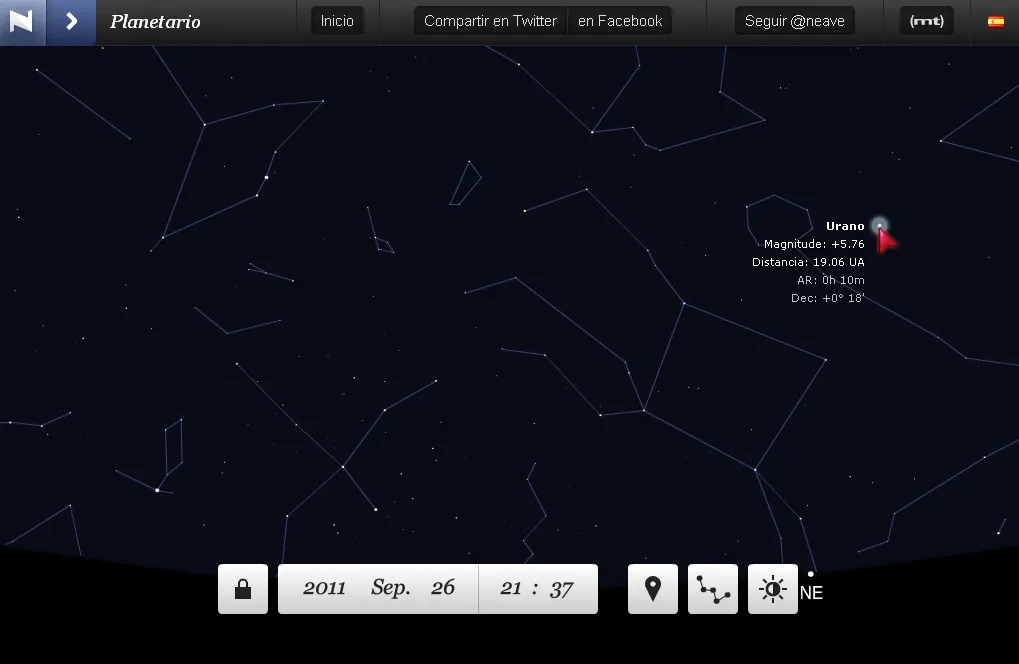
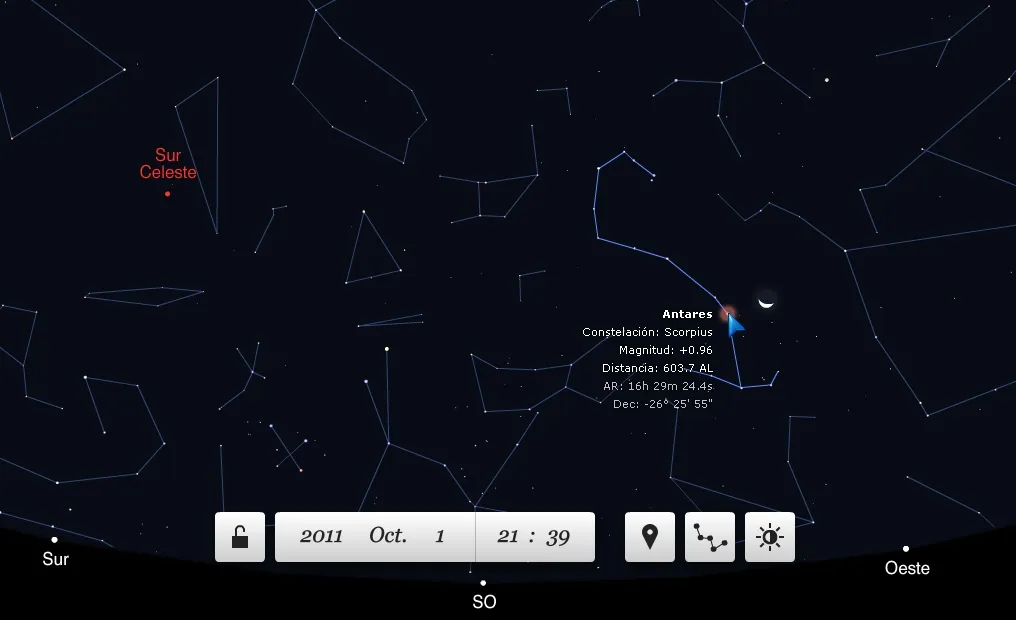
Upon entering we must establish our location through a planisphere. This is one of the cons the site still has, not being able to easily indicate our location with greater precision. If instead of choosing a place on the globe, we click "Set my location" it will track our location through the web browser.
Among the icons shown at the bottom right we can change the place, view the imaginary lines of the constellations and daylight or not.
It is also possible to change the day, date and time.
By clicking on an object we will be informed which star or planet it is and the constellation, in the case of a celestial body.
With the mouse you can rotate in altitude and azimuth.
Another con is that you cannot search for an object to know if it is visible or not, unlike desktop planetariums.
However, it is a nice and practical application that can get us out of a bind simply.
Stargazer
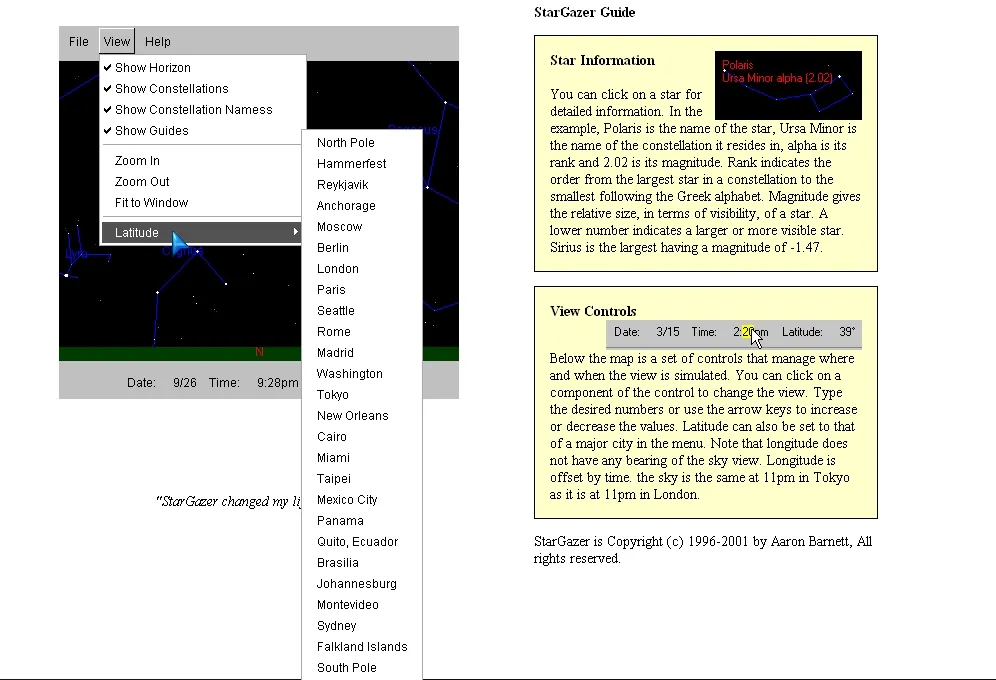
Another option is Stargazer, by Aaron Barnett. Here to choose our location we must choose the View option from the menu and select a city from those indicated there. However, we may not settle for the cities on the list and seek a closer approximation to our place. For that we place the mouse pointer on the given latitude and with the keyboard arrows we will go down or up until we find the desired one. We can do the same with the date and time.
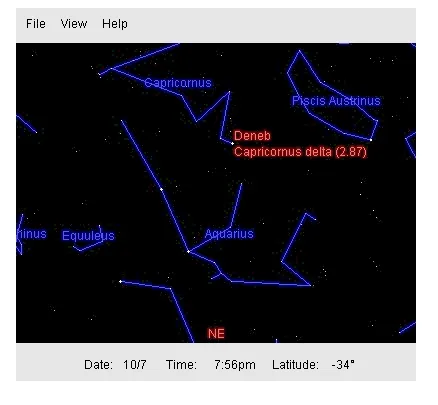
With the mouse we can move in the same directions as before, horizontally and vertically.
The site is not in Spanish, although it is easy to operate anyway. It does not allow viewing planets.
For example, for October 7, latitude 34º S, 19:56, looking East we should see the Moon in Aquarius near Neptune.
Your Sky
This application, by John Walker, is very good. We access it from http://www.fourmilab.ch/yoursky/. It is also in English and also simple to operate.
On the page we will find a first box in which we can indicate our location or choose it from a list of cities. This is useful for seeing the whole sky. If we enter this way we will then see a map where we can change to the horizon view.
For the latter, on the main page we can go to the second box, choose our city or indicate the latitude and longitude coordinates.
A third option, the virtual telescope, is to search for a specific object through a catalog of planets, moons, stars. Or indicate the coordinates by right ascension and declination.
For the case thought at the beginning, seeing what is in the sky of our city at a specific moment we will choose the second option, the horizon view.
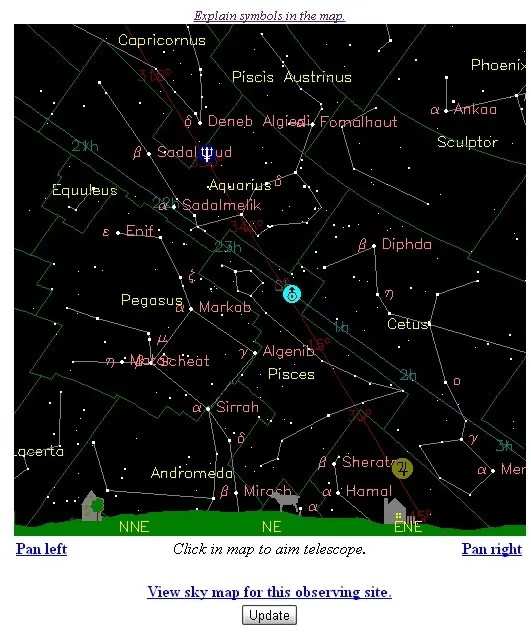
I choose in my case Buenos Aires (lat 34S, lon 58W) for September 26 (with a 90º field).
This is the most complete option of the three, as it allows greater control over what to observe and how.
However, the only con is that instead of using the mouse to "turn the sky", there are "Pan left/Pan right" links to move left and right, respectively, which makes it less fluid.
But the number of options make it very interesting. For example, we can perform the visualization in color or in black and white (with the background in either) which allows easy printing of maps. We can set up to what magnitude to see stars, show or not the Moon and planets, etc.
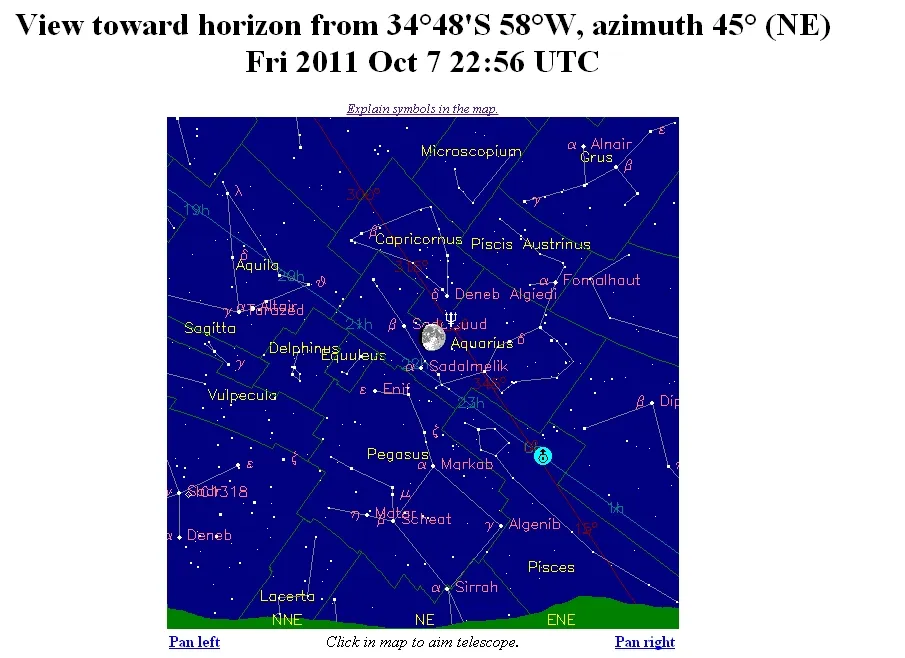
It is equally simple to use, although it may require two or three more clicks than the previous two.
The planets are shown with their corresponding symbol, something that part of the public may not like as they don't know the symbolism used. For example, in the image above Uranus, Neptune and Jupiter are shown.
As seen, unlike Neave, you can see the objects with their names without needing to mouse over them.
AstroViewer
This fourth option is different, as it does not have a horizon view, but it does allow visualizing the sky by changing latitude and longitude, date and time.
It is available in Spanish and has the option to put it on a web. (For the latter I also recommend Virtual Sky)
To use AstroViewer, by Dirk Matussek, you must have Java installed and accept its use in the browser. When it finishes loading, at the top left of the web we will see the button Start AstroViewer which will run the application in a new window.
There it is possible to change the location by choosing among cities and it is very simple to change the date through the calendar, as well as the date and time.
Sky&Telescope
The popular magazine on its website has an interesting dual interactive map, as it shows the whole sky and the horizon with the possibility of saving it as pdf and viewing deep space objects. Both views can be maximized. It is in English and access requires prior registration (free).
Another option is Heavens Above, a page from which we can see a view of the whole sky and also visualize where the Space Station and other satellites will pass.
And more
There are many websites that produce monthly maps for different latitudes. One example is Skymaps, but there are several other sites, in Spanish like El cielo del mes or Sur Astronómico to name a few.
In these cases, the common practice is to put up images or PDF files that can be downloaded and/or printed. They are not exactly the same as the programs mentioned earlier which allow for a more specific visualization of a latitude at a more precise moment, but they can serve the same purpose of knowing what will be in our sky to admire.
Finally, on this blog, in the El cielo tab, we have a sky visualization provided by Virtual Sky. Although it is configured to show the sky visible at latitude 34S for the current day and time (by system), it is possible to change those parameters by clicking with the mouse.
In that same tab, I will now link this post, so that by saving that page as a favorite, one can easily access not only that sky view, but also quickly these links.
These are some options to not waste an observation night, even if it's casual, or to quickly clear up a doubt in case one doesn't have a desktop planetarium at hand.
Sources and related links
- Neave Planetarium
- Stargazer
- YourSky
- Astroviewer
About the images
- Screenshots of Neave Planetarium, Stargazer and YouSky. Credits: Paul Neave, Aaron Barnett, John Walker.