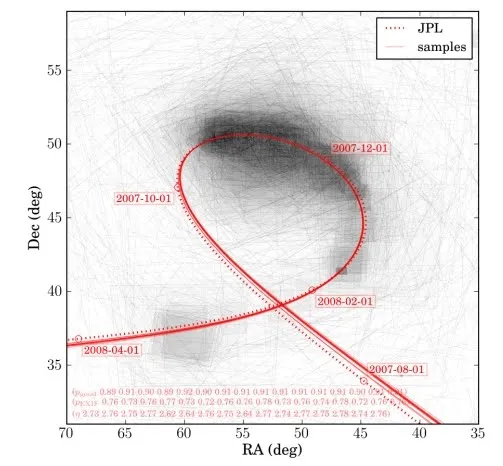
A new Zoouniverse project that allows us to identify Kuiper Belt Objects (KBOs), asteroids, and variable stars in order to choose where to send the New Horizons probe after its flyby of the Pluto system.
In 2006, NASA launched the New Horizons probe toward Pluto. It is now halfway there and should reach the now dwarf planet in 2015. After its close encounter with that planet and its moon Charon, the idea is for the probe to head to the Kuiper Belt. But, which object will the spacecraft head toward?
To choose one, data is needed. And that is part of the new project IceHunters, literally, ice hunters, since the belt objects are essentially that.
But the project also offers the possibility of finding asteroids and variable stars.
How is it done?
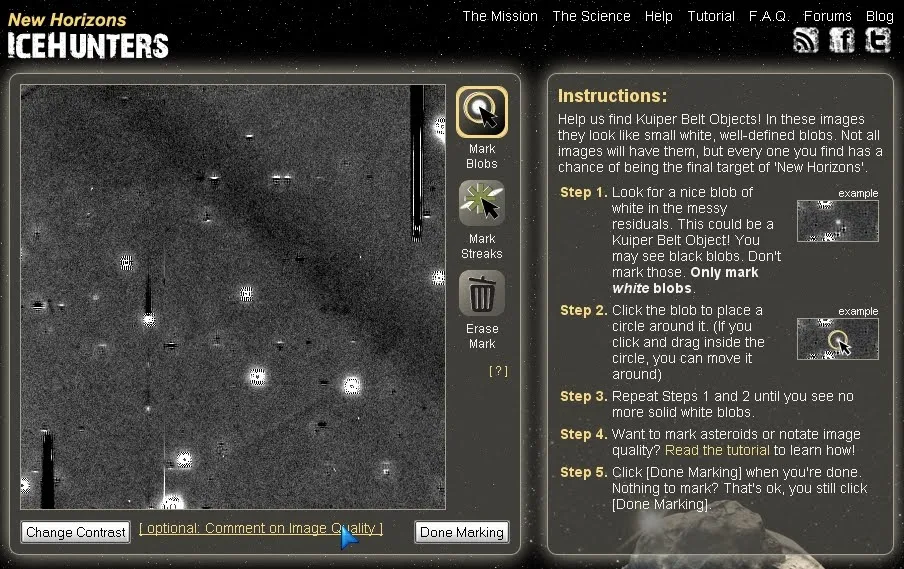
On the site there is a tutorial, in English. To give an idea to those who don't know that language, here is a brief explanation:
On the site, once we log in with our username and password (the same for all projects on the site) we will see two boxes.
In the one on the left we will have an image and on the left a reminder of the tutorial. The entire site is in English.
Each image we see is the result of six or more exposures of the same part of the sky. For example, the two images below.
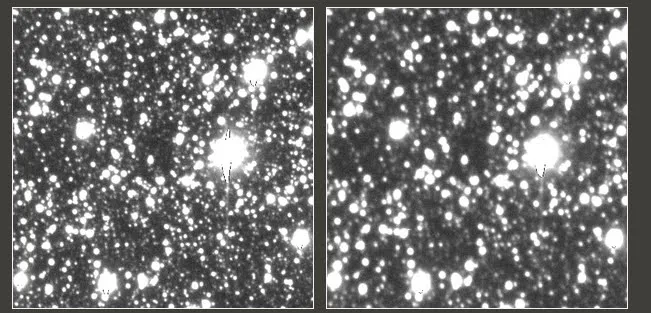
The first is a combination of three images taken on June 9, 2004 at 11:40 UTC. The second is another combination of three images taken on the same day at 13:26 UTC. Many images are taken to collect more light over a period of time.
If there was a Kuiper Belt object in the first photograph, then, over time the object must have moved. And not only that. The sky conditions also changed, so finding the object is like an impossible game of spot the difference. Like a needle in a haystack.
To make it possible, the stars must be removed from the image. This is achieved by subtracting from the second image the values of each pixel from the first. Similar to subtracting 1 from 1 (=0). That would "erase" all the things that are the same between one photo and the other, but NOT those that are different. If I had a pixel here in the first one and in the second that pixel is not there and it is there instead, then, there will be no equality and no subtraction either.
But since the images, even though they are of the same part of the sky, are not identical, it's not that simple.
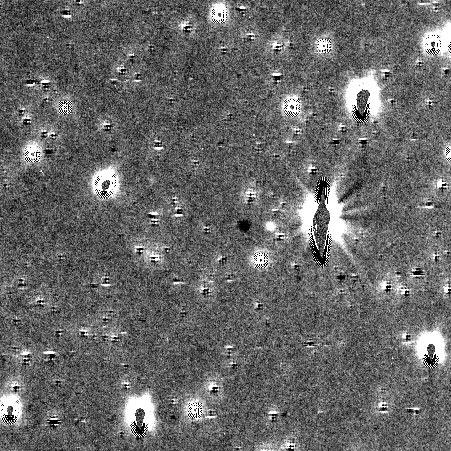
The same is true for objects that do not move, but change in brightness. That's why Icehunters not only hunts "chunks of ice" from Kuiper Belt objects, but also variable stars.
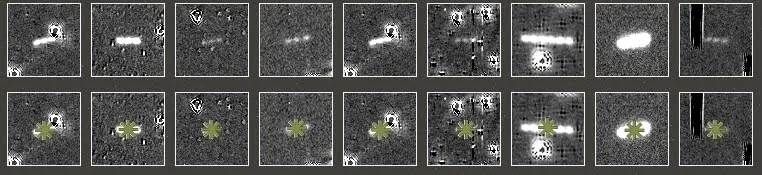
In addition, a third target are asteroids, which in the subtractions appear as a small series of white blobs.
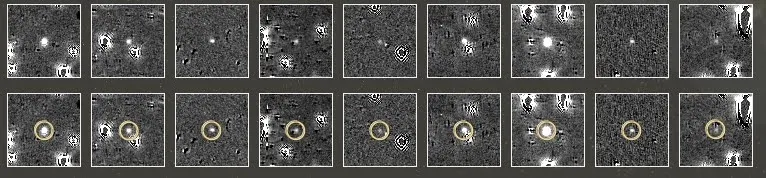
So what we will see in each left box is the result of the image subtraction. But the quality of the sky from ground-based observatories, like those used in this project, is poor and changes with the hours, the quality of the subtractions may leave much to be desired.
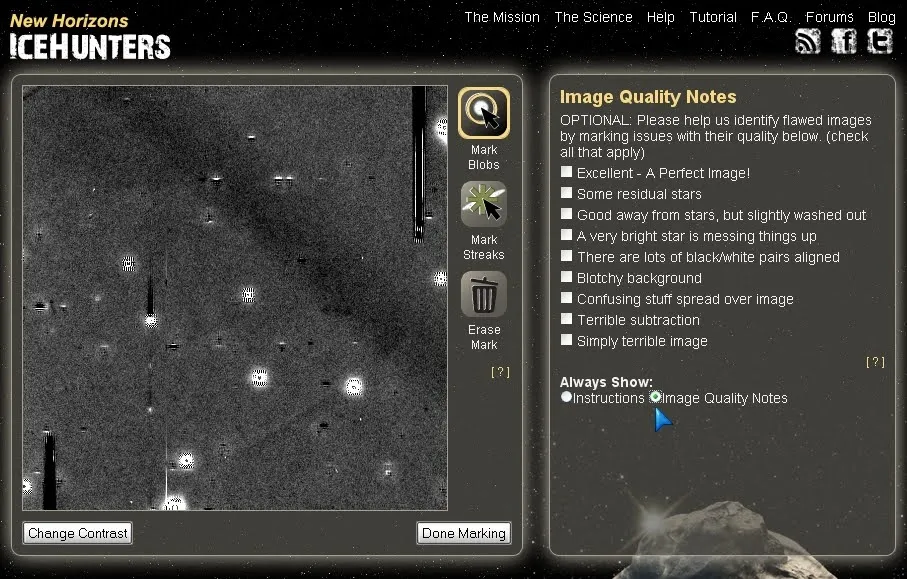
It is possible to report problems with image quality. In the first screenshot we see an option, indicated with the blue pointer of my mouse.
If we click, the left box, which by default is a summary of the tutorial, becomes a list of options about image quality. If we want that box to be permanent, we choose the option below. If not, we can always see the summary box.
But even in bad images we can find KBOs, variables, and asteroids.
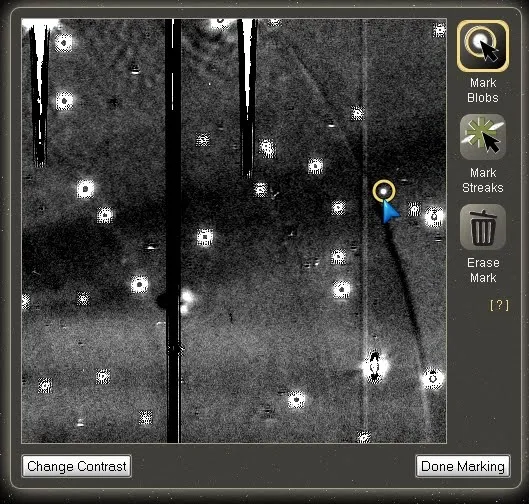
In all cases, the only thing we will look for are white "blobs." In the case of asteroids, they will be a series of those blobs. They can be very bright or more diffuse, but always blobs, small white spheres. To mark those blobs we simply click with the mouse on the image.
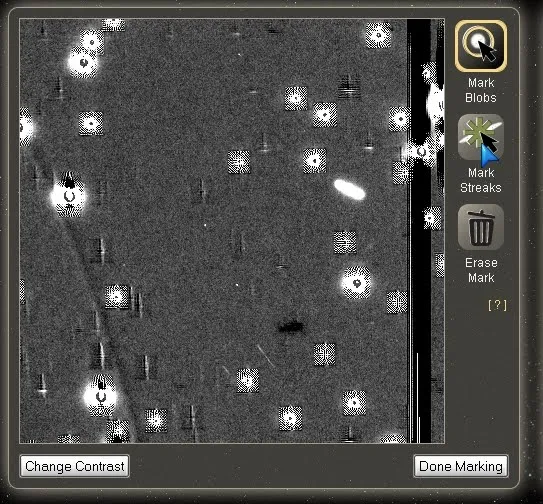
In the case of asteroids, we must first select the "Mark Streaks" tool. In both cases, we can delete selections made by mistake. After which we will click "Done Marking" to finish with that image and move to another. After finishing with an image, it cannot be "undone." Don't worry if we make a mistake marking or not marking an object. The project works because many other users will also see the same image and an object that has been marked by many users will be considered possible.
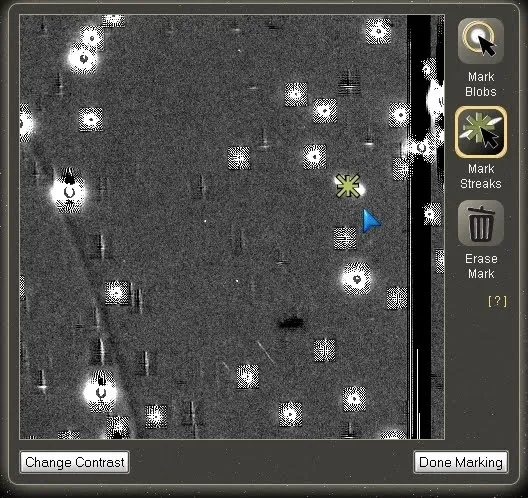
What NOT to mark: streaks, due to cosmic rays. Black blobs, white blobs with a black dot in the middle, nothing in the very bad areas of the image (bands).
If we don't find anything in an image, don't worry. We simply click "Done marking." And if it happens in many images in a row, it's also fine. It's possible that every now and then a rectangular window will pop up asking if we want to do the tutorial, but we can close it and continue.
It is important to watch the tutorial, even if you don't speak English, because the images speak for themselves. That way we will have a clearer idea of what the subtractions will look like and what to mark and what not.
It is likely that as we go through the process we will start marking more often, but in any case, it is important to mark when we are quite sure that we have one or several white blobs or circles there.
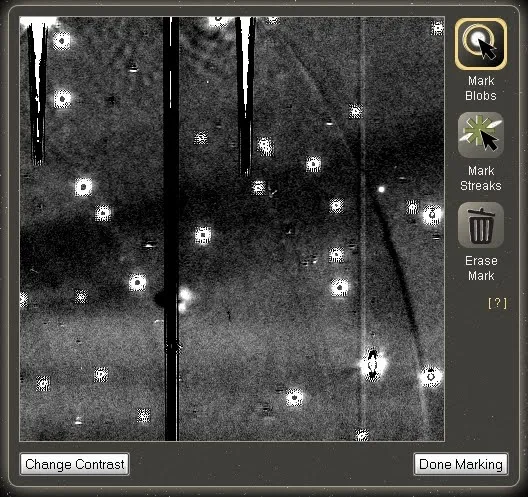
Even if the image appears illuminated by some bright star poorly subtracted or by confusing streaks or a "washed-out" background, let's pay attention because even under those conditions we might find a white circle to mark or a series.
Where do the images come from?
They are images from ground-based observatories like Subaru, Gemini, the Canada-France-Hawaii Telescope and other sites.
We can, besides watching the tutorial, see what others have marked so far in the object gallery.
The project has been running for about two months in a demo form that we who contributed some small grain of sand in other Galaxy Zoo initiatives accessed. When I initially tried it (on May 4), I think the images loaded faster than now.
There is also a small problem, which will surely be fixed soon, with the interface display in Chrome 12.
Options about image quality
Although it is optional, we can choose among these indicators:
Excellent - A Perfect Image! = Excellent, a perfect image!
Some residual stars = Some residual stars
Good away from stars, but slightly washed out = Good away from stars, but slightly washed out
A very bright star is messing things up= A very bright star is messing things up
There are lots of black/white pairs aligned= there are lots of black/white pairs aligned
Blotchy background= blotchy background
Confusing stuff spread over image= confusing stuff spread over image
Terrible subtraction= terrible subtraction
Simply terrible image= simply a terrible image
Sources and related links
- The most exciting citizen science project ever (to me, anyway)
- Icehunters
About the images
- Screenshots and sample images from Icehunters.