With Google's program we can navigate galaxy clusters with high-resolution images, see where exoplanets are located, the Hubble and much more.
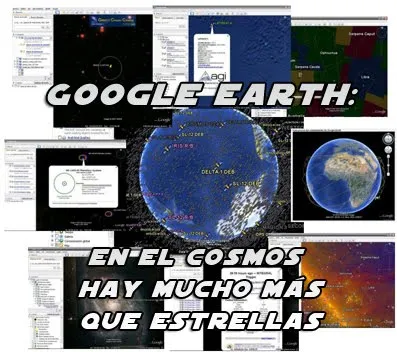
The options of Google Earth are many and since the program has existed for several years now, its possibilities are generally known, although some have been developed recently.
Here I will review some options to get the most out of GE, whether for personal recreation or as an educational resource.
Accumulating high-resolution clusters
Jiangang Hao & James Annis from the Center for Astrophysics, Fermilab, recently published a paper on the use of high-resolution images for galaxy clusters.
GE, as we already know, can be used not only to explore the surface of our planet (and perhaps find craters), but also to navigate the cosmos in its Sky version.
But the resolution of the images provided by default is not very good. This is so even though SDSS images are used because to reduce transfer time the images are reduced.
What the authors did was use the addition of almost 100 images from SDSS stripe 82 which provides the deepest images (up to redshift 1.0). Based on those images the authors created color images (as described by Lupton et al) and converted the images to be compatible with Google Earth using wcs2kml.
The images are hosted on a public Fermilab server and can be accessed by the public.
To view the images we must download a kmz file that contains the links to the images and open it with the program. There are three options with low, medium and high resolution, which we can choose according to our internet connection.
Up to this point we will have accessed better images, but we still need to get the position of the clusters to search for them. For this we will download another kmz file that will tell the program where to find clusters in the data.
All these files can be downloaded from the site:
Flying across Galaxy Clusters in Google Earth/Sky: SDSS and SDSS Coadded Images https://sites.google.com/site/geclusters/
And if we want more, we can access the site GMBCG Cluster Catalog for SDSS DR7 and download another file with 3000 more clusters.
Video: Flying across galaxy clusters
http://www.youtube.com/watch?v=VvogFo29Hl4
In the cosmos there is much more than stars
To discover other usage options for GE we can go to its gallery for the Sky.
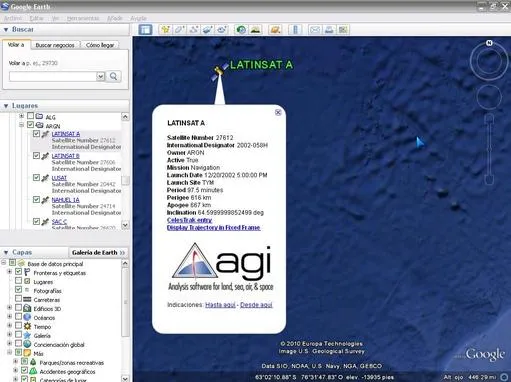
Among other things we will be able to see where the Hubble Space Telescope is, see the location of exoplanets, see the too many satellites and debris surrounding our world, see the objects from XMM Newton or Chandra, etc.
I want to emphasize the VOEventnet files. It is a real-time astronomy project, in the style of SkyEvent.
With VOEvent for GE (also via html or RSS) we can learn about the latest events related to gamma-ray bursts, microlensing, etc.
Finally a small review of the default options.
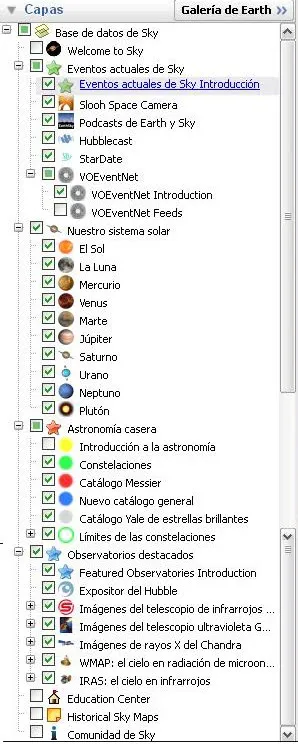
At the bottom of the sidebar we will see "Sky Database" which contains:
Current Events includes images from Slooh Space Camera, Podcasts and VOEventNet.
Our Solar System includes the Sun and the planets
In Backyard Astronomy we can see the constellations, their boundaries, catalogs.
In Featured Observatories we have to choose images in infrared, ultraviolet, X-ray and microwave.
We can also see historical images of the sky.
And beyond (and closer)
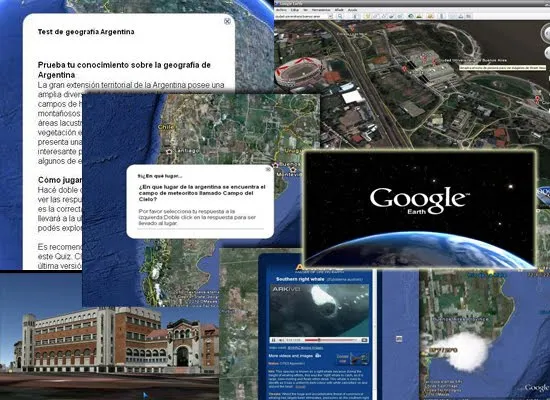
The possibilities are not limited to what was indicated before. It is possible to use GE to visualize Mars and the Moon and there are kmz files for many different uses. Even one to see Argentine observatories.
And we must not forget that GE allows us to navigate our world, whether to get to know a place better, to search for craters, etc. About some uses of GE to get to know our planet better I will talk in a next post in which I will include a file created by Argentine researchers.
Sources and related links
- Flying across Galaxy Clusters with Google Earth: additional imagery from SDSS co-added data
Jiangang Hao, James Annis
arXiv:1010.6068v1 [astro-ph.CO] - Google Sky Gains Galaxy Cluster Data
- Cosmic rays in Google Earth
- Tricks to improve the sky on the PC
About the images
- Image captures with Google Earth 6.0